MATLAB Applying this procedure to the file gm-1.jpg for each of the three colors (R, G, B) produces 24 bitplanes, thus: [Click on image to view at full size]
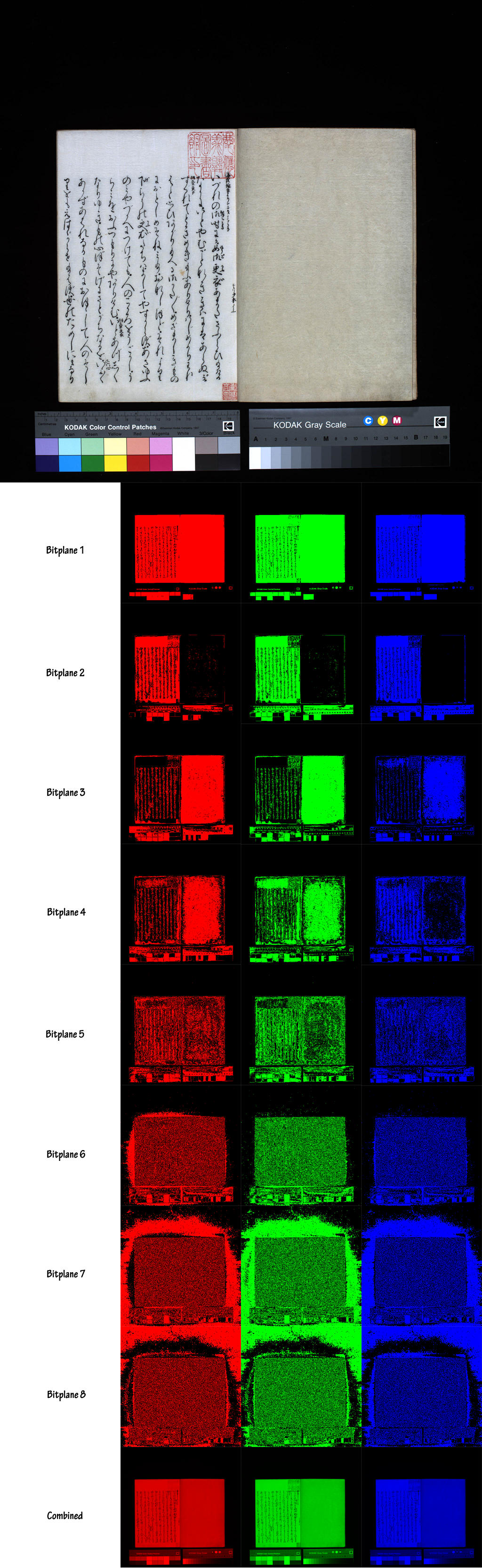
Bitplanes created with MATLAB.
In the section on BPCS steganography these bitplanes are discussed in relation to the embedding of data in images. While MATLAB is typically used on its own to process images, Adobe Photoshop Extended is able to accept commands from MATLAB using a JavaScript interface once the former is "attached" (command pslaunch to connect and psquit to disconnect the two programs). It is thus possible to run image processing algorithms in MATLAB and see the results in Photoshop. (For more information on running MATLAB with Photoshop see CS4 Help and the psfunctionscat.html file that is part of the Photoshop Extended installation.) For the ADIEUX Project, Photoshop (versions up to and including CS4 Extended) has served as the principal tool for image processing. Nevertheless, experiments have been run using MATLAB, as demonstrated above, and it is clear that it could be invaluable for developing digital archives. One example should suffice: MATLAB could be used to search through hundreds or thousands of Gutenberg Bible images to find which ones contain illuminated initials, red ink, fewer than 42 lines, and so on. Such tasks are fairly straightforward. This information on the specific features of images could then be added to the XMP metadata. While MATLAB (or similar software) is extremely powerful, for most of the everyday processing tasks associated with the ADIEUX Project, the combination of Photoshop and JavaScript has usually proved sufficient. Continued |
